Data entry teams lose hours retyping the same order details into three different spreadsheets. Some tools promise to fix that with automation, but many platforms charge per seat before you have tested a single workflow. If your team already lives in WhatsApp, the answer may look different.
This review covers what Tasks.Bot is, how it works inside WhatsApp, and where it genuinely helps with data entry versus where it does not. You will also see its key features, pricing, beta status, and a clear verdict on who should use it.
What Is Tasks.Bot? Who It's Built For
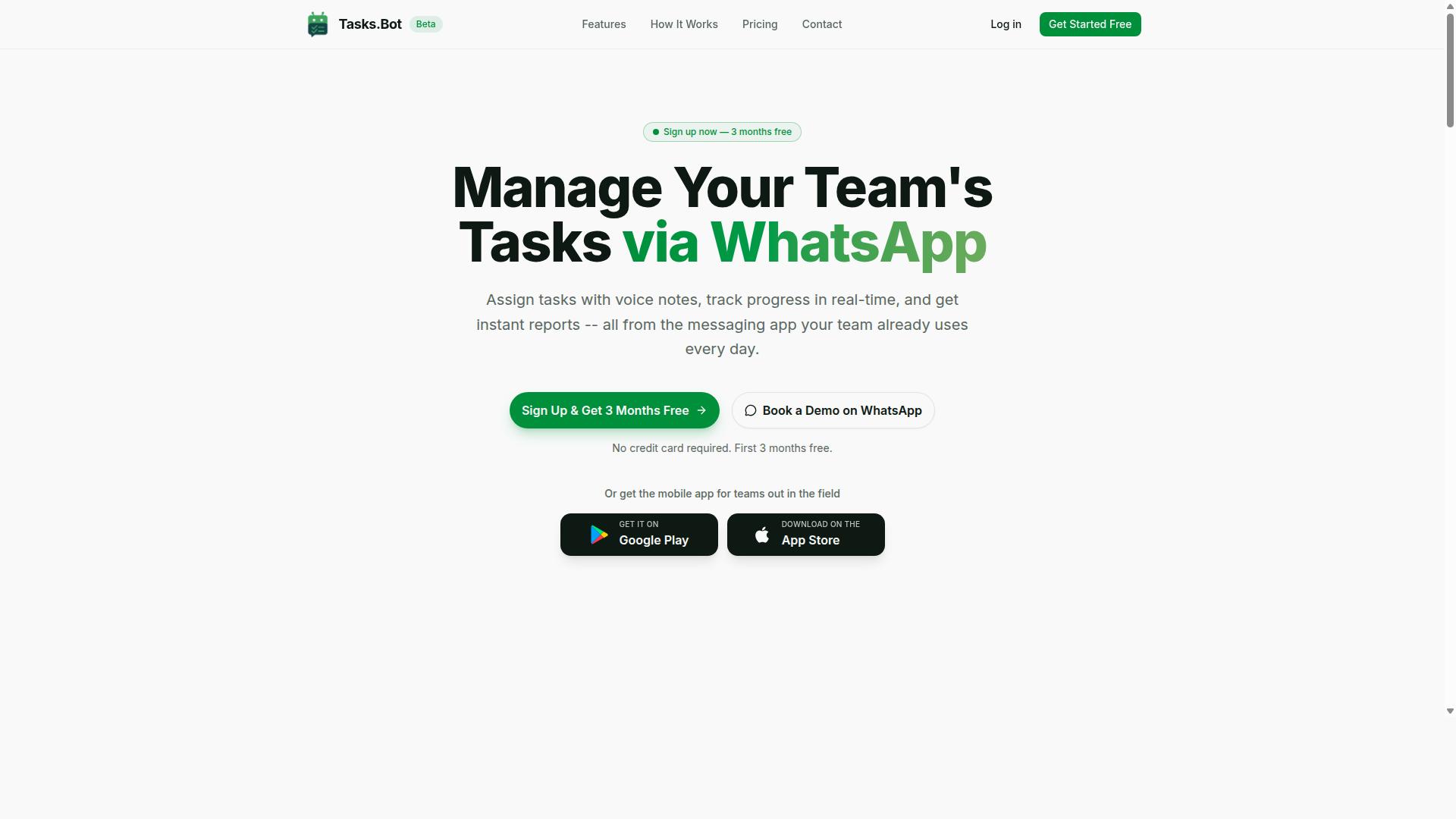
Tasks.Bot is a task management platform that operates entirely within WhatsApp, enabling teams to assign tasks, track progress, and receive reports without leaving the messaging app. It is designed for teams that already run their daily communication through WhatsApp and want structure without forcing everyone onto a new tool.
That last point matters. Team members need no new app installs or accounts to participate. Tasks.Bot also offers a mobile app for field teams, with push notifications, voice capture, and a home screen widget.
Its core purpose is straightforward: streamline task assignment, tracking, and reporting for teams that live in WhatsApp. The strongest fit is field-based operations, where staff need task management, face-verified attendance, shifts and hours tracking, and payroll-ready time records.
On the data entry question, context helps. Tasks.Bot is not a robotic process automation (RPA) platform or an OCR document processing engine. It is a task automation and workflow automation tool built around natural language. For teams whose "data entry" really means logging jobs, updating records, and reporting from the field, that distinction is the whole story. The service is currently in beta and offers a free trial period.
How Tasks.Bot Works Inside WhatsApp
Tasks.Bot leverages WhatsApp's familiar interface to let teams create, assign, and manage tasks through simple messages, voice notes, and natural language commands. The platform uses AI to understand user intent and create tasks from messages, so the interaction feels like chatting with a colleague rather than operating software.
Here is the flow in practice. A manager sends a voice note: "Assign John to inspect site A by Friday." Tasks.Bot interprets the request, creates the task, sets the deadline, and notifies John. No forms, no dashboards, no separate login.
From there, the platform handles the follow-through:
- Voice note task creation for quick, hands-free input
- Automatic task assignment based on the request
- Smart deadline reminders so nothing slips
- Approvals and automations for sign-off steps
- Instant reports generated from task activity
Several features extend this beyond simple to-dos. Tasks on a map help coordinate field staff by location. A live day tracker shows what is happening in real time. Face-verified attendance confirms who was actually on site, and shifts, leave, and hours management turn that activity into payroll-ready records.
For a data entry automation comparison, the takeaway is clear. Tasks.Bot does not extract data from invoices, scrape the web, or fill spreadsheets. What it does is capture structured task data at the source, in the field, through conversation, with no additional software installation required. For teams already on WhatsApp, that removes the biggest barrier to adoption: getting everyone to use the system at all.
Is Tasks.Bot Good for Data Entry Automation? The Honest Answer
When evaluating Tasks.Bot for data entry automation, it's important to understand its strengths and limitations: it excels at task tracking and lightweight automation but is not a full-fledged data entry or RPA tool.
This distinction matters because "data entry automation" gets used loosely. Some buyers mean software that reads invoices, extracts fields from PDFs, or fills spreadsheets at scale. Others simply want fewer manual steps when capturing and routing everyday information. Tasks.Bot belongs firmly in the second category.
Tasks.Bot is built around task management and workflow automation, with its core experience centered on WhatsApp. That makes it a natural fit for teams who already coordinate work through chat and want structure without adopting a heavy enterprise platform.
Where it can help with data entry is at the capture and routing stage. Simple information submitted through forms or messages can be logged, assigned, and tracked as part of a workflow. That covers lightweight data capture, not bulk processing.
What it does not do is the heavy lifting associated with dedicated data entry tools. There is no evidence it performs optical character recognition, invoice processing, or spreadsheet automation at volume. Those tasks typically require specialized software built for data extraction and document processing.
So the honest answer is nuanced but clear. If your goal is structured task automation and basic data capture inside a messaging workflow, Tasks.Bot is a reasonable choice. If you need robotic process automation, OCR, or large-scale document handling, you will need a different category of tool alongside it.
Where Tasks.Bot Fits - and Where It Doesn't
Tasks.Bot is a strong fit for teams needing to automate task assignment, reminders, and basic approvals within WhatsApp, but it is not suitable for high-volume data entry, OCR, or complex RPA workflows.
The clearest way to judge any software evaluation is to match the tool against real scenarios. Below are the situations where Tasks.Bot adds genuine value, followed by the ones where it falls short.
Where Tasks.Bot fits well:
- Field team coordination: assigning jobs, sharing updates, and keeping remote workers aligned in one channel.
- Attendance tracking: simple check-ins and status confirmations captured as part of a daily routine.
- Simple approval chains: requests that move from one person to the next with a clear record of who approved what.
- Task status updates: marking items complete, flagging blockers, and keeping a visible trail of progress.
- Lightweight data capture: collecting basic details through forms or messages and routing them to the right person.
These use cases share a common thread. The data involved is structured and low volume, and the value comes from coordination rather than processing power.
Where Tasks.Bot falls short:
- Bulk data extraction from documents: pulling fields from hundreds of PDFs is a job for dedicated extraction tools.
- Invoice processing: reading line items, matching totals, and pushing results into accounting systems requires OCR and validation logic.
- CRM or ERP integration without APIs: connecting to systems that lack an API integration path is outside its scope.
- Advanced data validation: enforcing complex rules, cross-checking records, and handling exceptions at scale needs purpose-built software.
- Web scraping and browser automation: these fall under RPA and bot scripting, a different category entirely.
The practical takeaway is that Tasks.Bot handles the coordination layer, not the processing layer. Teams with heavy document workloads should pair it with a specialized data entry or RPA platform rather than expect one tool to do both.
For readers weighing options, the deciding question is simple. If your bottleneck is people losing track of tasks, Tasks.Bot addresses it directly. If your bottleneck is thousands of records needing extraction and validation, look for AI-powered automation built for that purpose.
Key Features Relevant to Data Entry and Task Tracking
Tasks.Bot is a task management platform that operates entirely within WhatsApp, which means team members do not need to install anything or create new accounts. That setup matters for data entry work because most task-related information already arrives as messages, voice notes, and quick updates from the field.
Tasks.Bot offers several features that support task tracking and lightweight data entry, including AI-powered natural language processing, voice note task creation, and automated reminders. It is not a dedicated data entry tool built for bulk document processing, OCR, or invoice processing at scale.
Instead, its strengths sit in capturing structured task data from unstructured messages and keeping records accurate through approvals, automations, and reports. The two sections below break down how those capabilities work in practice.
AI, Voice Notes, and Natural Language Task Creation
Tasks.Bot uses AI to interpret natural language and voice notes, allowing users to create tasks by simply speaking or typing a message in WhatsApp. The AI understands user intent and pulls out the details needed to form a complete task record.
In practical terms, a message like "Remind Sarah to submit the report by 5 PM" becomes a task with an assignee, a deadline, and a description. A voice note such as "Create a task for site inspection tomorrow" works the same way. The system extracts the who, what, and when without anyone opening a form or filling a spreadsheet row.
This is where Tasks.Bot overlaps with data entry automation. Traditional data entry automation relies on tools like robotic process automation, OCR, and document processing to move structured data between systems. Tasks.Bot takes a different route: it converts conversational input into structured task data at the point of capture.
For teams logging field updates, service requests, or follow-ups, that removes a manual transcription step. Instead of writing something down and later typing it into a tracker, the task is created in the same message. The result is less duplicate entry and fewer details lost between a conversation and a record.
Tasks.Bot also provides Android and iOS apps with push notifications, voice capture, and a home screen widget, so task creation is not limited to the WhatsApp thread alone. The core workflow, however, stays inside WhatsApp for consistency.
Approvals, Automations, Reports, and Face-Verified Attendance
Tasks.Bot includes approval workflows, automation triggers, instant reporting, and face-verified attendance to support team accountability and data accuracy. Each feature targets a different part of the record-keeping problem.
Approvals add a verification layer. A task can be marked complete only after a manager signs off, which means the status recorded in the system reflects confirmed work rather than a self-reported update. That is a form of data validation built into the workflow.
Automations handle assignment and routing. Tasks can be automatically assigned based on rules, so the right person receives the work without a coordinator manually entering an owner for every item. Smart deadline reminders then keep those tasks moving.
Instant reports turn the accumulated task data into daily summaries and progress views. Rather than compiling a status update by hand, managers pull a report that already reflects what was created, assigned, and approved.
Face-verified attendance uses facial recognition for check-ins, which reduces the manual entry and dispute risk that comes with paper sign-in sheets or verbal confirmation. Paired with live GPS tracking for field staff, it gives teams a more reliable attendance record.
All of this runs natively inside WhatsApp, alongside shifts, leave, and hours management. Enterprise-grade encryption protects the data, and conversations and task data are never shared or used for training. There is also a 3-month free trial with no credit card required, which gives teams room to test whether the workflow fits before committing.
Pricing and Plans: What You Actually Pay
Tasks.Bot offers a single 'Full Access' plan with all features included, priced at ₹200 per member per month or ₹1,200 per year per member, with pricing available in both Indian Rupees and US Dollars. There are no starter tiers, no feature gates, and no upgrade path to unlock additional capabilities. Every user gets the same toolset from day one.
For a data entry automation evaluation, that simplicity matters. Most software in this category splits functionality across tiers, forcing buyers to guess which plan covers OCR, data extraction, or CRM integration before they have even tested the product. Tasks.Bot removes that guesswork entirely.
| Plan | Price | Billing Cycle | Features Included |
|---|---|---|---|
| Full Access (Monthly) | ₹200 per member | Monthly | All features |
| Full Access (Annual) | ₹1,200 per member | Yearly | All features |
The annual plan saves 50%, which works out to ₹1,200 saved per member per year compared to paying monthly. For a small team running document processing and form filling workflows, that difference adds up quickly without any reduction in what the software actually does.
New users also get 3 months free, no credit card required, and can cancel anytime. That trial window is generous enough to test real workloads, such as invoice processing or spreadsheet automation, rather than just clicking through a demo. It also means an honest review of value does not depend on a sales call.
Currency selection is handled through a 'Select currency' option with Indian Rupee and US Dollar choices, so buyers should verify which currency applies to their account before committing. Pricing shown in one currency may not reflect local taxes or payment processing differences.
Compared to hiring additional staff for task tracking and manual data entry, the cost per member is modest. A single part-time hire typically costs far more per month than an entire small team on the annual plan, and the software does not take leave, retrain, or make transcription errors from fatigue.
One caveat worth noting in any software evaluation: Tasks.Bot is currently in beta. That status may affect pricing in the future, since beta products often adjust rates as features stabilize and demand grows. Buyers should treat current pricing as favorable but not guaranteed indefinitely.
Overall, the pricing structure is transparent and free of hidden tiers. All features are accessible on one plan, the trial requires no card, and the annual discount is substantial. For teams weighing data entry automation against manual hiring, the math favors Tasks.Bot clearly.
Trust Signals: Beta Status, Security, and Track Record
Tasks.Bot is currently in beta, which means it is still evolving, but it already serves hundreds of teams and offers a refund policy to mitigate risk. That combination tells you something important about evaluating any data entry automation tool: maturity and momentum are two different things.
An honest review has to weigh both. A beta label is not a red flag on its own, but it does change how you should approach software evaluation for tasks your business depends on every day.
The sections below break down what the beta status actually means for buyers, what security signals are visible, and what the track record suggests about real-world reliability.
Beta status: what it means in practice
A beta product is not a finished product. Features can change, behavior can shift between updates, and edge cases may not be fully covered yet. For data entry automation, that matters because your workflows often touch invoices, customer records, and other business-critical information.
Simultaneously, beta does not mean experimental or abandoned. Tasks.Bot is actively used by hundreds of teams, which suggests the core task automation capabilities are stable enough for daily work. The distinction is between "unfinished" and "unproven." Hundreds of active users points toward the second category.
A practical approach for readers: treat beta software as a strong fit for non-critical workflows first. Route lower-stakes tasks through it, such as routine form filling or spreadsheet automation on internal data, before you hand over anything that feeds directly into billing or compliance systems.
Security signals to look for
Security is one of the hardest things to assess from the outside, and this is where an honest review should be careful about overclaiming. Any tool handling data extraction, OCR, or document processing touches sensitive material by definition, so the questions worth asking are consistent across vendors.
When you evaluate Tasks.Bot or any cloud-based automation platform, check for:
- Whether the vendor publishes details about how data is stored and transmitted
- Whether verification steps exist at account or workflow level
- Whether you can keep certain workflows out of the tool entirely if they are too sensitive
Tasks.Bot includes a Book a Demo on WhatsApp option, which gives prospective buyers a direct way to ask security and data handling questions before committing. That is a reasonable first step for anyone whose workflows involve regulated or confidential information.
Track record and risk reduction
The most concrete trust signal here is adoption. Hundreds of teams already rely on Tasks.Bot, which is meaningful evidence for a product still in beta. Early adoption at that scale usually means the tool solves a real problem in workflow automation, not just a hypothetical one.
The second signal is the refund policy listed in the site footer. A published refund policy does not eliminate risk, but it does lower the cost of finding out whether the tool fits your needs. For a beta-stage product, that matters more than it would for a mature platform.
A sensible testing plan looks like this:
- Start with one narrow use case, such as a single data extraction or form filling task.
- Run it alongside your existing process rather than replacing it outright.
- Check outputs carefully for accuracy before scaling up.
- Expand only once results hold up consistently.
The verdict on trust
Tasks.Bot is legitimate and worth considering, provided you go in with clear expectations. It is a beta product, so it should not be your only system of record for critical data. But it is actively used by hundreds of teams, it offers a refund policy, and it gives you a direct channel to ask questions before you buy.
For non-critical workflows, or for teams willing to test thoroughly before scaling, the risk is manageable and the upside is real. That is a fair and favorable conclusion for an honest review: not flawless, but trustworthy enough to try with your eyes open.
Who Should Use Tasks.Bot for Data Entry Workflows
Tasks.Bot is best suited for teams that already use WhatsApp for communication and need lightweight task management, especially those with field staff requiring attendance tracking and simple data capture. The platform describes itself as serving hundreds of teams already, which points to a clear pattern: organizations that want practical task automation without adopting a heavy data entry automation platform.
This honest review of Tasks.Bot focuses on fit. Data entry automation covers a wide spectrum, from simple form filling and spreadsheet automation to advanced robotic process automation and OCR-driven document processing. Tasks.Bot sits at the accessible end of that spectrum, and that is exactly where many teams need to be.
Small to medium teams benefit most. They rarely have dedicated automation engineers, and they do not want to manage a low-code platform or cloud-based automation stack just to log a site visit or confirm a delivery. A tool that works through WhatsApp removes the training burden entirely.
Field service teams are a natural match. Attendance tracking and payroll-ready hours are core needs for crews who clock in and out at different locations rather than a single office.
- Construction teams logging site visits, crew attendance, and daily progress notes
- Delivery services capturing drop confirmations and driver hours
- Sales teams recording customer interactions and follow-up tasks between meetings
- Remote teams that coordinate primarily through WhatsApp chat
For these groups, data entry automation does not need to mean optical character recognition or invoice processing. It means capturing structured data quickly, in the field, in a format that feeds into attendance records and payroll-ready hours.
Equally important is knowing who should look elsewhere. Teams that need heavy OCR, invoice processing, or ERP integration should treat Tasks.Bot as a poor fit. Those workflows demand document processing engines and API integration layers that a WhatsApp-based task tool is not built to provide.
If your work involves unstructured data, scanned paperwork, or deep CRM integration, a dedicated RPA or document processing platform will serve you better. Tasks.Bot is a task automation tool for simple data capture, not a general-purpose data extraction suite.
The verdict on fit is straightforward. If your team lives in WhatsApp and needs attendance tracking, task management, and payroll-ready hours without a complex rollout, Tasks.Bot is a strong choice. Teams chasing enterprise-scale data entry automation should look at heavier platforms instead.
Final Verdict: Is Tasks.Bot Worth It?
Tasks.Bot is worth considering if you need a simple, WhatsApp-based task management tool with AI-powered task creation, but it is not a replacement for dedicated data entry automation software. The distinction matters because these are two different categories of tool, and judging one by the standards of the other leads to the wrong conclusion.
If your goal is lightweight task automation inside a messaging app your team already uses, Tasks.Bot delivers real value. If your goal is high-volume data entry automation with OCR, document processing, or robotic process automation, you will need a purpose-built platform instead.
Here is the honest breakdown of where Tasks.Bot shines and where it falls short.
- Pros: easy to use, no new app installs required, AI-powered task creation, affordable for small teams
- Cons: beta status, limited data entry capabilities, no advanced integrations such as CRM integration, ERP integration, or API integration
The pros are not minor. Requiring no new app installs removes one of the biggest barriers to adoption in any software evaluation. Teams already live in WhatsApp, so the learning curve is close to zero. The AI-powered side of the product handles task creation, which keeps setup fast for everyday workflow automation needs.
The cons are equally real. Beta status means the product is still evolving, so features may change. Limited data entry capabilities means it will not handle structured data at scale, and there is no support for data extraction, optical character recognition, invoice processing, or form filling in the way a dedicated tool would. Advanced integrations are also absent.
So who should use it? Tasks.Bot suits teams that want task automation within WhatsApp and do not need complex document processing or RPA. It is a practical fit for small businesses, solo operators, and teams that treat task tracking as a messaging habit rather than a data pipeline.
Who should look elsewhere? Anyone needing spreadsheet automation, web scraping, browser automation, or bot scripting at scale. Those needs belong to no-code automation platforms and low-code platforms built for data validation and error handling across large volumes.
The verdict is clear. Tasks.Bot is a legitimate, useful tool for its intended purpose. It is not a data entry automation platform, and it does not claim to be. Judge it as a WhatsApp-based task manager and it holds up well.
To learn more, book a demo on WhatsApp or reach the team directly. You can contact them by phone at +91 97143 42522 or by email at [email protected].
Frequently Asked Questions
Do my team members need to install a new app or create accounts to use Tasks.Bot?
No. Tasks.Bot operates entirely within WhatsApp, so your team can assign tasks, track progress, and receive reports without installing anything or creating new accounts. A mobile app is also available for field teams who need it. This makes onboarding much simpler, especially for teams already using WhatsApp for communication.
How does Tasks.Bot handle task creation - do I have to type everything out?
Tasks.Bot uses AI to understand natural language, and it also supports voice note task creation, so you can simply speak or type a task the way you'd normally message a colleague. The platform then handles automatic task assignment, smart deadline reminders, approvals, and automations. Instant reports keep you updated without chasing anyone for status.
What does Tasks.Bot cost, and is there a free trial?
Tasks.Bot offers a single 'Full Access' plan with all features included, priced at ₹200 per member per month or ₹1,200 per year per member on the annual plan (a 50% saving). Pricing is available in both Indian Rupees and US Dollars. The service is currently in beta, and the website footer mentions a refund policy - for the latest details, reach out via [email protected] or +91 97143 42522.
Is Tasks.Bot only useful for office teams, or does it work for field staff too?
It's built with field teams in mind. Alongside task management, Tasks.Bot offers face-verified attendance, tasks on a map, live day tracking, and payroll-ready hours - all managed through WhatsApp. This suits teams that already coordinate over WhatsApp but need proper tracking of who did what, where, and when.
Can I see Tasks.Bot in action before committing?
Yes. The website includes a 'Book a Demo on WhatsApp' option, so you can experience the platform in the same place your team would actually use it. Tasks.Bot is available worldwide with no country restrictions, since it's a SaaS product accessible via WhatsApp and mobile apps.
Is Tasks.Bot a good fit compared to other data entry and task automation tools?
Tasks.Bot is strongest if your team already runs on WhatsApp and wants task assignment, reminders, approvals, reports, and attendance without adopting a separate platform. Rather than replacing dedicated data entry software feature-for-feature, it focuses on keeping work visible and accountable inside the messaging app your team already uses. The best way to judge the fit is to try it with your own workflows via a WhatsApp demo.